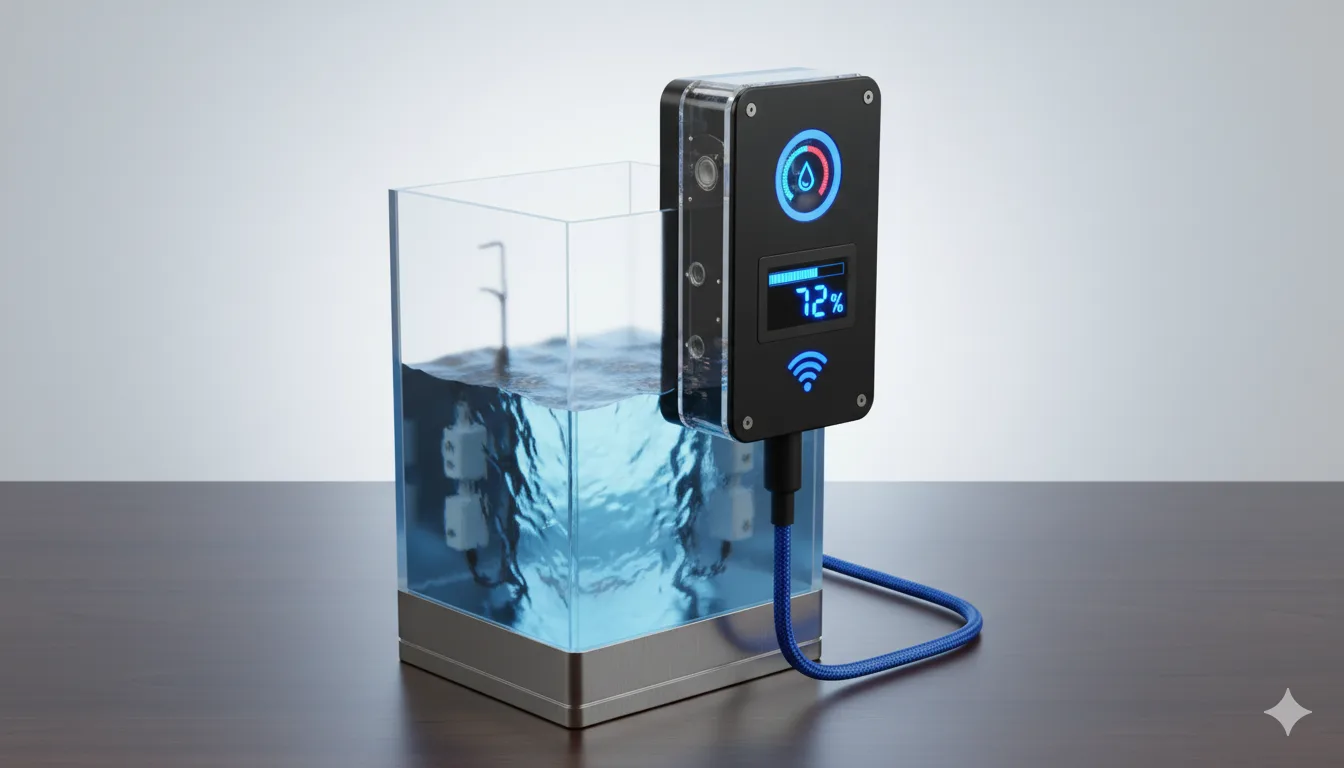
🌊 WaterMonitor — Smart Water Level Monitoring System (ESP32 + OLED + Live Web Dashboard)
📸 [IMAGE PLACEHOLDER — Hero photo of device installed / tank setup]
WaterMonitor is a practical IoT solution that continuously measures a water tank’s level and displays it in a clear, user-friendly way. It combines an on-device OLED screen for instant visibility with a real-time browser dashboard for monitoring and configuration. The system includes calibration, configurable alert thresholds, Wi-Fi + fallback Access Point mode, secure settings access, and OTA firmware updates making it reliable for real household use.
🎯 What this system does
✅ Reads water level sensor values and converts them into a stable percentage level (0%–100%)
✅ Displays the level on a device OLED screen
✅ Streams live readings to a web dashboard (works on phone/PC on the same network)
✅ Triggers LED + buzzer alerts when water is low/reserve/high/full
✅ Lets users configure calibration and thresholds without reflashing firmware
✅ Supports Wi-Fi connection with AP fallback if Wi-Fi is unavailable
✅ Provides secure access to configuration pages
✅ Supports OTA updates (update firmware through browser)
📸 [IMAGE PLACEHOLDER — Web dashboard screenshot (/panel)]
⭐ Key Features
🖥️ OLED Display (Device UI)
💧 Shows current water level percentage
📉 Shows low / reserve warning states clearly
✅ Indicates full tank state
⚙️ Provides feedback during setup, calibration, and testing
📸 [IMAGE PLACEHOLDER — OLED normal level screen]
📸 [IMAGE PLACEHOLDER — OLED low/reserve warning screen]
📸 [IMAGE PLACEHOLDER — OLED full tank screen]
🌐 Live Web Dashboard (Browser UI)
The dashboard provides real-time monitoring with clean visuals:
💧 Water level percentage
⚡ Raw sensor value (mV)
📈 Smoothed/filtered value (stable view)
📶 Wi-Fi signal strength (RSSI)
🌍 Device network access details (IP / .local name)
It updates instantly using WebSocket live streaming, with fallback updates if needed.
📸 [IMAGE PLACEHOLDER — Dashboard live values view]
🎚️ Calibration (Accurate % mapping for every installation)
Calibration makes the system accurate for different tanks and sensor placements.
Users set two reference points:
⬇️ Low reference (empty/low tank)
⬆️ High reference (full tank)
Using these, the device maps sensor readings into a reliable 0%–100% scale and saves calibration permanently so it remains correct after restart.
📸 [IMAGE PLACEHOLDER — Calibration/Config page screenshot]
📏 Threshold Levels (Meaningful water states)
WaterMonitor supports real-world levels that matter:
🟡 Early low indicator (blink range)
🔴 Low warning (critical level)
🟠 Reserve level (reserve alert)
🟢 High/safe range
✅ Full tank level
Threshold rules prevent invalid setups (e.g., reserve above full), ensuring the alert system behaves correctly.
🚨 Smart Alerts (LED + Buzzer)
WaterMonitor alerts users through:
💡 LEDs for status + water warnings
🔊 Buzzer patterns for low/reserve/high/full conditions
To avoid false alarms from noisy readings, the system uses:
🧷 Hysteresis (prevents flickering around thresholds)
⏳ Dwell timing (must stay in warning zone for a short time)
📊 Stable readings (filtering + stability checks)
📸 [IMAGE PLACEHOLDER — Alert demo photo / low warning state]
📡 Wi-Fi + AP Fallback (Always accessible)
✅ Wi-Fi Mode (STA): device connects to home Wi-Fi and dashboard is available on the LAN
🛟 Fallback AP Mode: if Wi-Fi fails, device creates its own hotspot so the user can still access the dashboard/config directly
This makes it usable even if the router changes or Wi-Fi is temporarily down.
📸 [IMAGE PLACEHOLDER — Phone Wi-Fi list showing device AP]
🌍 Easy Access with mDNS
Instead of remembering IP addresses, users can access the dashboard via:
http://device-name.local(on supported networks)
This improves usability for non-technical users.
🔐 Secure Configuration (Protected settings)
All configuration and sensitive pages are protected using authentication:
🔒 Prevents unauthorized users on the same network from changing thresholds/calibration
🔑 Password can be changed from the dashboard
💾 Stored persistently so it remains after restart
📸 [IMAGE PLACEHOLDER — Password page / login screenshot]
⬆️ OTA Firmware Updates (No USB needed)
WaterMonitor supports firmware updates through the browser:
Upload a compiled firmware file
Device updates itself safely
This is useful when the device is installed in hard-to-reach locations.
📸 [IMAGE PLACEHOLDER — OTA update page screenshot]
🧪 Built-in Testing Mode (Reliable setup)
To ensure correct deployment, the system includes guided testing:
✅ Button test
✅ LED test
✅ Buzzer test
✅ Sensor stabilization / verification
✅ Sensor reading diagnostics
This reduces setup errors and improves real-world reliability.
📸 [IMAGE PLACEHOLDER — Test mode screen photo]
🔄 How the system works (High-level flow)
📥 Read sensor value
🧹 Filter and stabilize the reading
🎚️ Convert to % using calibration
📏 Compare against thresholds
🚨 Trigger alerts (LED/buzzer) when needed
🖥️ Update OLED screen
🌐 Broadcast live data to the web dashboard
💾 Save user settings permanently (calibration/thresholds/tunables)
📸 [IMAGE PLACEHOLDER — Simple system flow diagram]
🧰 Hardware & Technology Used
🧠 ESP32 microcontroller
🖥️ OLED display for local monitoring
📟 Analog water level sensing (mV/ADC)
💡 LEDs + 🔊 Buzzer for alerts
🌐 Web dashboard + real-time WebSocket updates
📡 Wi-Fi STA + fallback AP mode
🌍 mDNS local naming
💾 Persistent settings storage
⬆️ OTA firmware update support
📸 [IMAGE PLACEHOLDER — Wiring/circuit image or installation photo]
🚀 Why this project is strong for a portfolio
✅ Real-world product-like system (not just sensor reading)
✅ Includes usability features: calibration, alerts, dashboard, fallback access
✅ Handles failure cases (Wi-Fi down → AP mode)
✅ Secure settings + OTA updates
✅ Reliable monitoring through stabilization and threshold logic
✅ Works well as a practical home IoT deployment
🔮 Future Enhancements (Optional)
📱 Mobile-first dashboard redesign with charts
📊 Water usage history logging & analytics
☁️ Cloud monitoring (MQTT/Firebase) for remote access
🧠 Multi-tank support
🛜 Captive portal Wi-Fi provisioning for easier onboarding
📸 [IMAGE PLACEHOLDER — Final collage / deployment photo]